
Download RAGE Webcrusher – Fast, Secure Website Optimization Tool
Overview
RAGE Webcrusher is a dedicated website‑optimization utility designed to shrink image assets, compress HTML/CSS/JS code, and streamline the overall size of a web project. By processing a finished site in under five minutes, the tool promises noticeable reductions in load time for visitors using any modern browser. It works with output from popular design platforms such as iWeb, RapidWeaver, and Adobe Dreamweaver, giving developers a high‑level control panel to select exactly which elements to “crush.” The interface includes a live preview, so you can compare original and compressed images before committing changes. Although the software is most effective for self‑hosted sites—WordPress.com or Blogger‑hosted blogs are out of scope—it delivers a thorough, all‑angle approach to speed‑up, making it a solid addition to any web‑master’s toolkit.
Key Features & Benefits
- Automatic Image Resizing: RAGE Webcrusher analyses every bitmap, PNG, and JPEG, then applies lossless or lossy compression based on user‑defined thresholds, reducing file size without visible quality loss.
- Code Minification: HTML, CSS, and JavaScript files are stripped of whitespace, comments, and redundant code, delivering leaner page bundles.
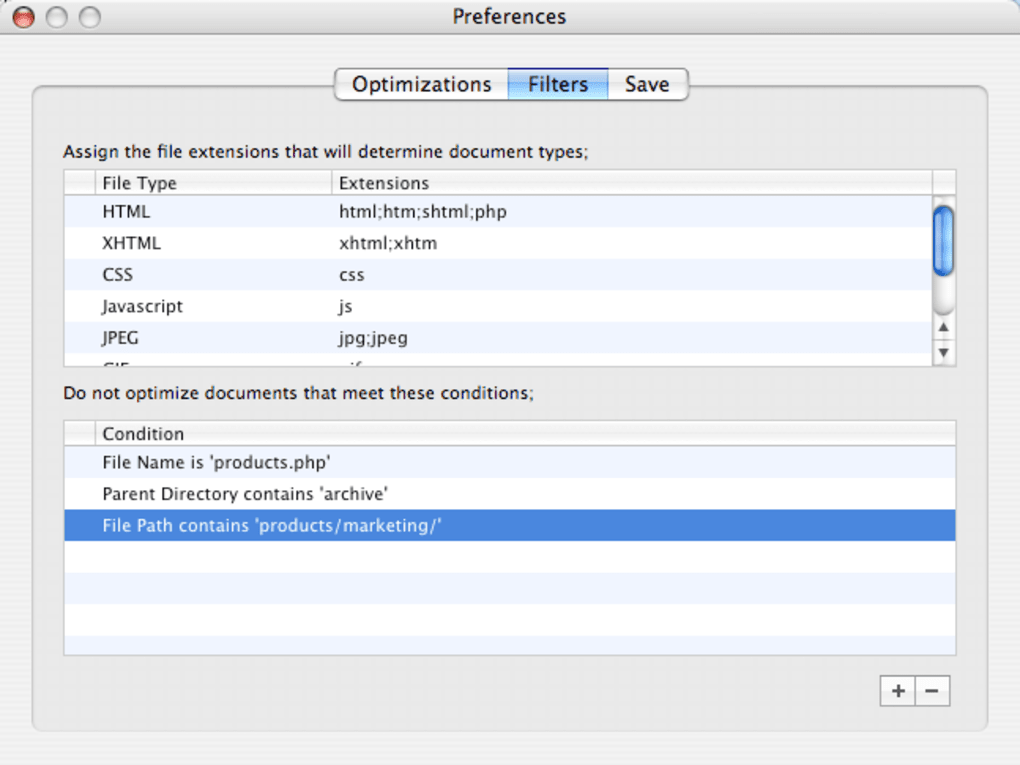
- Selective Crushing: Through an intuitive GUI you can choose specific folders, pages, or image groups to compress, preserving high‑resolution assets where needed.
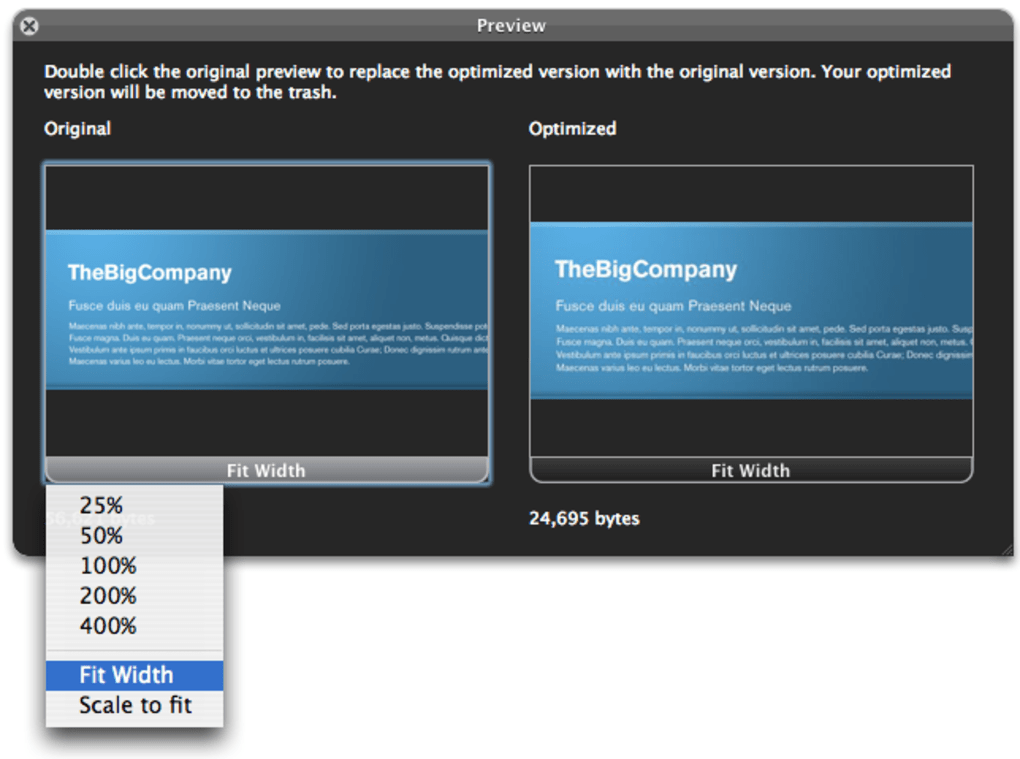
- Live Preview Mode: Before finalising changes, the preview pane shows side‑by‑side comparisons, helping you maintain visual fidelity.
- Multi‑Platform Import: Supports exports from iWeb, RapidWeaver, Dreamweaver, and generic FTP folders, making migration painless.
- Incremental Optimization: Only files that have changed since the last run are re‑processed, cutting down repeat optimization time dramatically.
- MobileMe & Snow Leopard Compatibility: Updated for Apple’s older ecosystems, the tool runs smoothly on macOS 10.6 (Snow Leopard) and integrates with MobileMe publishing workflows.
- Crash‑Resistant Engine: Recent patches address rare crashes during page‑compare operations, ensuring stability on large projects.
Beyond the raw feature list, the benefits translate into measurable performance gains: reduced bandwidth consumption, faster Time‑to‑First‑Byte (TTFB), and improved Core Web Vitals scores. In SEO terms, faster pages often rank higher, especially on mobile searches where Google applies speed as a ranking factor. For e‑commerce sites, the speed boost can directly impact conversion rates, as users are less likely to abandon a site that loads instantly.
Installation, Usage & Compatibility
System Requirements
RAGE Webcrusher runs natively on macOS 10.6 (Snow Leopard) and later. The application is a 64‑bit Mac app, requiring at least 512 MB of RAM and 200 MB of free disk space for temporary processing files. No Windows or Linux versions are currently offered.
Step‑by‑Step Installation
- Download the installer from the official RAGE Webcrusher website (the link is provided in the CTA below).
- Open the .dmg file and drag the RAGE Webcrusher icon into your Applications folder.
- Launch the app; macOS may prompt you to confirm that the software is from an identified developer—click “Open”.
- The first run will present a brief setup wizard where you can define default compression levels and choose a folder for temporary files.
How to Optimize a Site
- Export your finished website from your design tool (iWeb, RapidWeaver, Dreamweaver) into a local folder.
- In RAGE Webcrusher, click “Add Project” and navigate to the folder containing your site files.
- Review the automatically detected assets. Use the checkboxes to deselect any images you wish to keep untouched.
- Adjust the compression sliders: “Lossless” for PNGs that must retain transparency, “High‑Quality” for JPEGs where visual fidelity is critical, and “Maximum” for background graphics where size matters more than detail.
- Press “Start Optimization”. The progress bar shows real‑time statistics: total bytes saved, percentage reduction, and estimated time remaining.
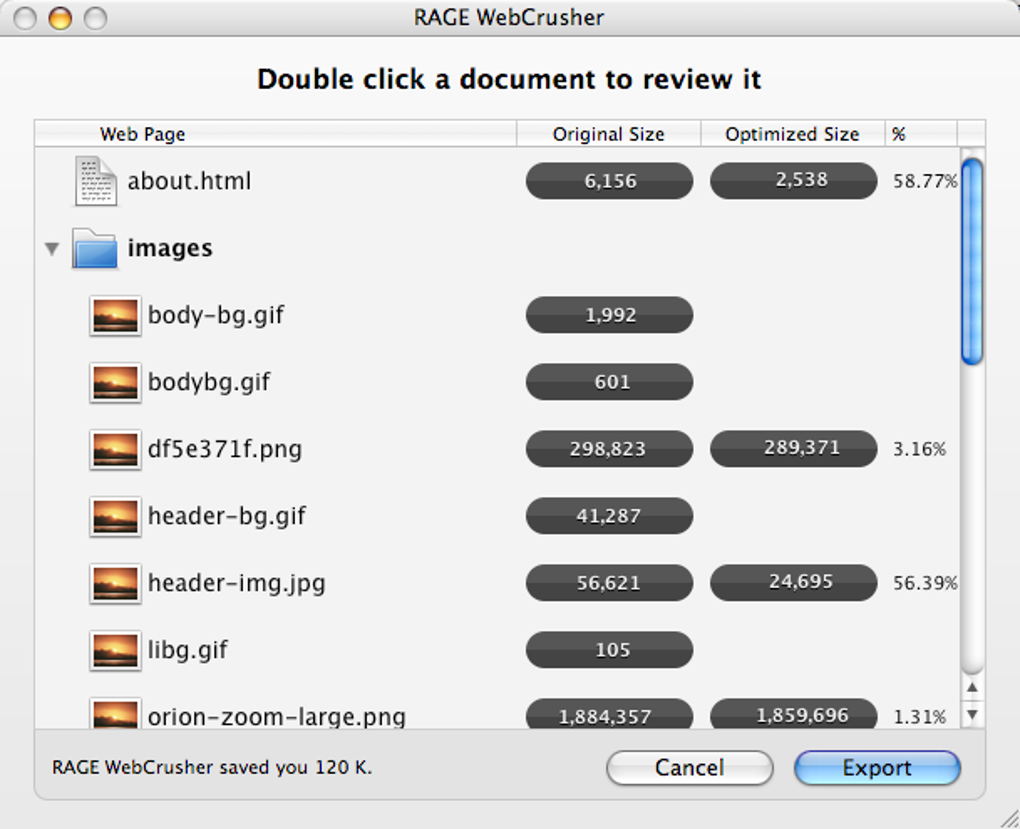
- When the process finishes, a summary screen lists the original size vs. optimized size. You can click “Preview” to open a side‑by‑side view of any file.
- Click “Export Optimized Site” to write the compressed files to a new folder. Replace the old site on your web server via FTP or your preferred deployment method.
Because the tool only works on self‑hosted sites, you’ll need FTP or SSH access to push the optimized files. For developers using automated deployment pipelines, the output folder can be fed directly into scripts, making RAGE Webcrusher a handy part of a CI/CD workflow.
Pros, Cons, FAQ & Conclusion
Pros
- Fast, under‑five‑minute processing for most medium‑size projects.
- Granular control over which assets are compressed.
- Live preview prevents accidental quality loss.
- Supports popular Mac design tools and legacy OS versions.
- Incremental optimization saves time on repeat runs.
Cons
- Mac‑only; no Windows or Linux version available.
- Effectiveness varies with the source design app (iWeb/RapidWeaver results may be less dramatic).
- Not suitable for hosted platforms like WordPress.com or Blogger.
- Interface, while functional, feels a bit dated compared with modern SaaS optimizers.
Frequently Asked Questions
Can I use RAGE Webcrusher on a Windows machine?
No. The current version is built exclusively for macOS. Windows users must look for alternative tools such as ImageOptim or online compressors.
Will the compression affect SEO negatively?
On the contrary. Faster load times improve Core Web Vitals, which are a ranking factor in Google Search. As long as you keep alt‑text and schema markup intact, SEO will benefit.
How does RAGE Webcrusher handle SVG files?
SVGs are treated as vector assets and are not compressed by default. You can enable “SVG Minify” in the settings, which removes unnecessary metadata and whitespace.
Is there a free trial or demo version?
Yes, a 14‑day trial is available. It provides full feature access but limits the number of projects to three. After the trial, you’ll need to purchase a license.
Can I roll back changes if I’m not happy with the result?
Absolutely. The original files are saved in a hidden “Backup” folder inside your project directory, allowing you to restore any asset with a single click.
Conclusion & Call to Action
RAGE Webcrusher fills a niche for Mac‑centric web developers who need a reliable, offline optimizer that respects both image quality and code cleanliness. While the lack of Windows support and variable results on older design apps are notable drawbacks, the tool’s speed, preview capabilities, and incremental processing make it a worthwhile investment for self‑hosted sites aiming to improve performance and SEO rankings. If you’re ready to shave seconds off your page load time and lower bandwidth costs, click the button below to download the latest version of RAGE Webcrusher.







